
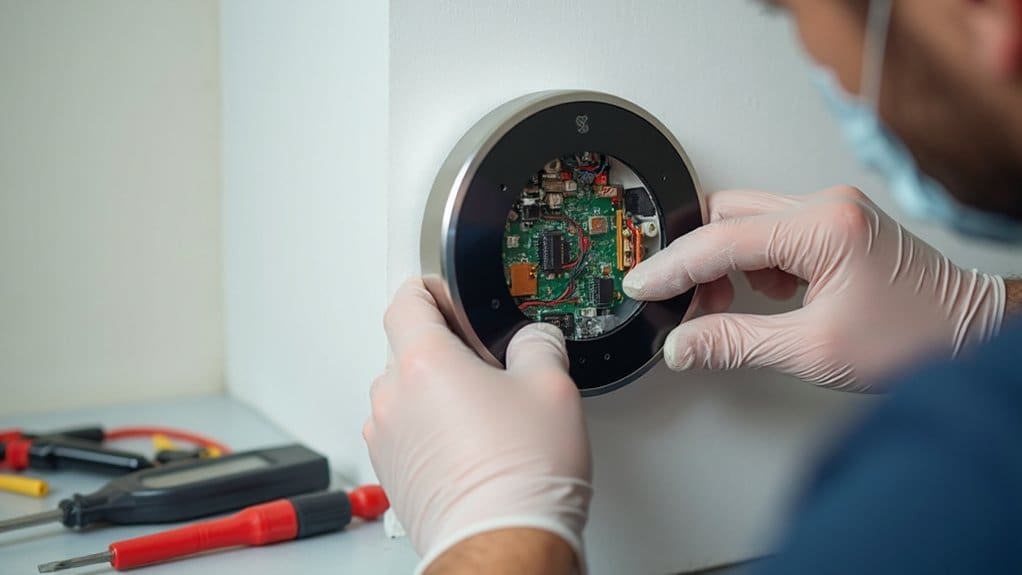
When your Nest thermostat malfunctions, you’ll typically encounter Wi-Fi connectivity issues, temperature sensor inaccuracies, or HVAC communication failures. Start by restarting your router and thermostat, checking sensor placement away from heat sources, and verifying proper wiring connections. Power problems often require installing a C-wire or using an Add-A-Wire Kit for continuous operation. While you can troubleshoot basic issues yourself, complex wiring complications and system malfunctions need professional expertise to prevent costly damage and guarantee satisfactory performance.
Key Takeaways
- Wi-Fi connectivity issues require router restarts, signal strength checks, firmware updates, and eliminating interference from nearby devices.
- Temperature sensor malfunctions need recalibration, repositioning away from heat sources, and replacement when showing persistent inaccuracies.
- HVAC communication failures stem from wiring problems, compatibility issues, and loose connections requiring professional diagnosis and repair.
- Short cycling problems indicate clogged filters, incorrect wiring configurations, or system malfunctions needing immediate professional attention.
- Power issues require C-wire installation, battery replacement, or Add-A-Wire Kit solutions to ensure continuous thermostat operation.
Wi-Fi Connectivity Problems and Network Troubleshooting
Wi-Fi connectivity issues rank among the most common problems you’ll encounter with your Nest thermostat. When your device loses its Wi-Fi connection, you’ll need to systematically troubleshoot the network problems.
First, make sure your router placement provides strong signal coverage and check for interference from other devices. Try restarting your Nest thermostat, mobile devices, and Wi-Fi router to refresh all network connections. Check your thermostat’s battery levels, as insufficient power can disrupt Wi-Fi connectivity.
Update your Nest thermostat’s firmware to address software-related connectivity issues. If you’ve experienced a power surge recently, turn off power to the system and restart everything once power stabilizes.
Consider installing a Wi-Fi extender or mesh network system for areas with weak reception. When these steps don’t resolve the problem, contact an HVAC technician or reach out to Nest support for professional assistance with persistent connectivity issues.
Temperature Reading Inaccuracies and Sensor Malfunctions
Another frequent issue you’ll face involves inaccurate temperature readings from your Nest thermostat’s sensors. These malfunctions occur when you’ve placed sensors too close to direct heat sources or windows, compromising your Nest Thermostat Displays’ accuracy.
Check your Nest app regularly—it’ll identify which sensors are malfunctioning and need recalibration or replacement. Poor sensor placement affects your HVAC system’s performance, causing short cycling that strains your Heating and Cooling System components and wastes energy.
Position sensors away from vents, appliances, and sunlit areas for consistent readings. When your air conditioner system or heating unit cycles frequently, inspect sensor locations first. Clogged air filters can also impact temperature distribution, affecting sensor accuracy.
If recalibration doesn’t resolve the problem, contact a professional technician. They’ll diagnose complex sensor issues that prevent your Nest Thermostats from maintaining steady temperatures. Regular monitoring guarantees dependable temperature control and prevents costly HVAC repairs.
HVAC System Communication Failures
While sensor issues affect temperature accuracy, communication breakdowns between your Nest thermostat and HVAC system create more serious problems that can leave you without heating or cooling entirely. These common problems often stem from wiring issues, particularly when your common wire isn’t properly connected or when the Rh wire becomes disconnected, triggering an E74 error.
You’ll notice communication failures when your furnace doesn’t respond to commands or when crossed wiring delivers wrong air temperatures. Short cycling can also indicate poor system communication. Incompatibility between your Nest Thermostat and HVAC equipment frequently causes these breakdowns.
Troubleshooting steps include performing a factory reset and checking for software updates through the Nest App. However, wiring complications require expertise that goes beyond basic fixes. When communication failures persist, contact a professional technician who can diagnose compatibility issues and guarantee all connections are properly secured for reliable system operation.
Short Cycling and Continuous Fan Operation
Two critical operational issues can plague your Nest thermostat: short cycling, where your HVAC system turns on and off too frequently, and continuous fan operation that won’t stop running.
When your Nest Thermostat fails to maintain proper heating or cooling cycles, several factors could be responsible:
- Clogged Air Filters – If your filters may be clogged, they restrict airflow and cause your air conditioning or heat pump to cycle rapidly, straining the entire system
- Wiring Issues – Swapping the G and Y1 wires can resolve continuous fan operation problems on your smart thermostat
- System Malfunctions – A blown fuse or furnace problems require immediate attention from an HVAC professional
Short cycling puts excessive stress on your heating or cooling equipment, while continuously running fans waste energy and cause premature wear. Don’t attempt complex repairs yourself – these issues demand professional inspection and repair to prevent costly system damage.
Power Issues and Delayed Message Displays
When your Nest thermostat displays delayed messages or experiences intermittent power problems, insufficient electrical supply is likely the culprit. Your Google Nest Thermostat requires continuous power to function properly and avoid these frustrating delays.
Installing a C-wire provides the dedicated power connection your thermostat needs. If existing wiring lacks a common wire, you’ll need an Add-A-Wire Kit to establish this indispensable connection. Turn off the breakers before attempting any electrical work for safety.
Sometimes you can temporarily charge the thermostat using a USB cable, but this isn’t a permanent solution. The control board requires stable power to prevent delayed message displays. Try turning to professional HVAC technicians who can properly install C-wire connections.
Replace them regularly if you’re using batteries in older systems. Regular maintenance ensures peak performance. Tips to Help: consult with qualified professionals to address power supply problems and eliminate delay messages permanently through proper C-wire installation.
Wiring Problems and Connection Errors
Several wiring complications can trigger connection errors that prevent your Nest thermostat from operating correctly. These wiring problems often stem from incorrect installations or damaged connections that disrupt power flow and system communication.
You’ll need to address these critical wiring issues to resolve connectivity problems:
- Rh Wire Connection – Guarantee proper Rh wire connection to restore power and prevent E74 errors from occurring during system operation.
- Heat Pump Wiring Verification – Check your wiring diagram and heat pump row settings to confirm correct heating/cooling thermostat wiring configuration.
- C Wire Installation – Connect the C wire to provide continuous power, eliminating thermostat delays and maintaining stable operation.
When troubleshooting connection errors, inspect all thermostat wiring for loose connections or physical damage. These issues commonly cause intermittent connectivity problems and system malfunctions. If software freezes persist, disconnect and restart your thermostat to refresh the system and restore proper functionality.
When to Consider Professional Replacement Services
DIY troubleshooting can only take you so far when your Nest thermostat continues malfunctioning despite your best repair efforts. If there’s an issue that persists after you’ve attempted to troubleshoot common problems, it’s time to ponder professional replacement services.
When your thermostat stops working effectively despite addressing wiring problems and connection errors, professional help becomes essential. HVAC technicians can determine if getting a new unit resolves the issue better than continued repairs. If your Nest can’t wait for another DIY fix and you need your home back to comfortable temperatures, Nest Pro Partners provide reliable installation and support.
Sometimes hardware failures or HVAC system incompatibility make replacement unavoidable. Professional technicians recognize when common issues stem from compatibility problems with specific control boards. They might suggest replacing your Nest with compatible brands like Ecobee if persistent problems continue affecting your system’s performance.
Frequently Asked Questions
What Is a Common Problem With Nest Thermostats?
You’ll commonly face Wi-Fi connectivity issues with your Nest thermostat. Poor connectivity problems, inaccurate temperature readings, frozen display, unresponsive buttons, battery drainage problems, and HVAC compatibility concerns frequently occur, requiring troubleshooting or professional assistance.
Can a Nest Thermostat Be Repaired?
Yes, you can repair your Nest thermostat through battery replacement, connection troubleshooting, firmware updates, and sensor calibration. Professional technicians handle wiring issues, display malfunctions, heat pump compatibility, installation challenges, and incorrect temperature readings effectively.
What Is the Life Expectancy of a Nest Thermostat?
Your Nest thermostat typically lasts 5-7 years, though battery degradation, sensor malfunctions, connectivity disruptions, display issues, power supply failures, and temperature inconsistencies can affect longevity. Regular software updates help maintain performance despite potential installation challenges.
Why Is the Nest Thermostat Being Discontinued?
Like rumors spreading wildly, you’ve heard discontinuation claims, but they’re false. You’ll still get software updates, battery replacements, and fixes for screen malfunctions, connectivity disruptions, temperature inaccuracies, wifi compatibility issues, app integration problems, and mechanical failures.
Conclusion
You’ve likely discovered that your Nest thermostat issues coincidentally mirror the complexity of modern smart home systems—just as you’re troubleshooting Wi-Fi connectivity, you’ll notice temperature sensors acting up too. Don’t let multiple problems overwhelm you; they’re often interconnected. While you can tackle basic fixes like power cycles and wire checks, you’ll find that persistent issues coincidentally point toward the same solution: calling a professional who’ll diagnose root causes efficiently.