
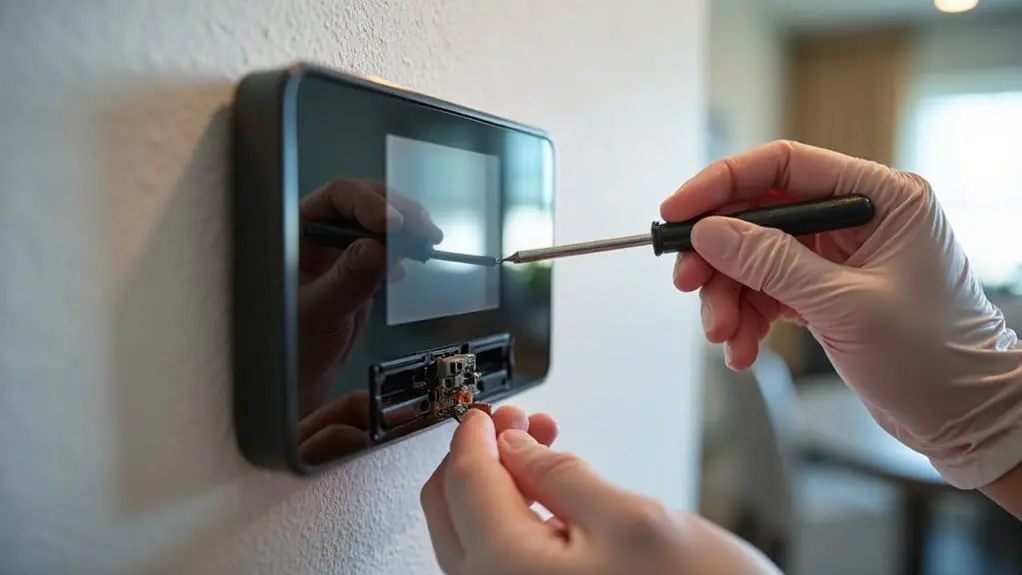
Your St. Louis WiFi thermostat‘s connectivity problems often stem from thick walls blocking signals, improper placement causing inaccurate readings, or firmware glitches disrupting schedules. You’ll notice temperature fluctuations, persistent connection failures, or unresponsive displays when professional repair’s needed. Start troubleshooting by checking battery levels, updating your thermostat app, and restarting your router. However, wiring issues like insufficient C-wire power or voltage incompatibilities require specialized tools and expertise to resolve these complex smart home integration challenges.
Key Takeaways
- Check Wi-Fi signal strength, restart your router, and re-enter network credentials to resolve persistent connectivity issues.
- Replace thermostat batteries regularly and verify proper C-wire power connection to prevent display malfunctions and system resets.
- Relocate thermostats away from heat sources, direct sunlight, and thick walls that cause inaccurate temperature readings.
- Update firmware automatically and clean temperature sensors monthly to maintain optimal performance and energy efficiency.
- Contact professionals for complex wiring problems, voltage incompatibility issues, and integration challenges with existing automation systems.
Common WiFi Thermostat Problems in St. Louis Homes
Why do WiFi thermostats frequently malfunction in St. Louis homes? You’ll encounter several recurring issues that compromise your smart home system’s performance.
First, Wi-Fi connectivity problems plague installations due to thick walls and old wiring that interfere with signal strength. Your thermostat can’t communicate effectively with your home network, disrupting remote control capabilities.
Second, improper placement causes inaccurate temperature readings. When you install your device near heat sources or drafts, your HVAC system operates inefficiently, wasting energy and compromising comfort.
Third, firmware glitches create scheduling malfunctions. Your smart thermostat’s software bugs prevent proper programming, forcing manual intervention.
Fourth, power outages reset configurations. When electricity returns, you’ll need to reconfigure your system settings manually.
Finally, integration challenges emerge when connecting your thermostat to existing automation platforms. Compatibility issues prevent seamless operation between devices, limiting your smart home’s functionality and requiring troubleshooting expertise.
Signs Your Smart Thermostat Needs Professional Repair
Recognizing these malfunctions early helps you determine when professional intervention becomes necessary for your St. Louis smart thermostat. Monitor your HVAC system for temperature fluctuations and inconsistent performance that affect Air Quality throughout your home. When connectivity issues persist, preventing your thermostat from maintaining Wi-Fi connections, you’re dealing with hardware or software failures requiring expert diagnosis.
Watch for display malfunctions including unresponsive or flickering screens, which indicate internal component damage. Your new system shouldn’t randomly adjust settings or ignore manual inputs—these behaviors signal faulty programming or sensor problems. Rising monthly utility bills despite unchanged usage patterns reveal inefficient operation that compromises accessibility and usability.
Don’t wait for complete system failure. When you notice these warning signs, our reliable service team provides technical solutions that guarantee customer satisfaction. Contact Us Today to diagnose your thermostat issues. Schedule with Academy Air for professional repair that restores your new system’s ideal performance and energy efficiency.
Troubleshooting Connectivity Issues With Your Wifi Thermostat
When your WiFi thermostat loses connection, start by confirming your home’s wireless network operates correctly through other connected devices. Poor connectivity disrupts your heating and air system’s communication, preventing remote temperature control.
Follow this systematic troubleshooting approach:
- Check battery levels – Low power causes intermittent connectivity issues that affect your thermostat’s wireless performance
- Update your thermostat app – Guarantee proper pairing between your mobile device and HVAC control system
- Restart your router and modem – Power cycling network equipment resolves many connectivity problems
- Verify WiFi signal strength – Move closer to your router or consider a WiFi extender for weak signals
If these steps don’t restore connection, examine your thermostat’s network settings and re-enter your WiFi credentials. When connectivity problems persist despite troubleshooting efforts, contact a professional HVAC technician or the manufacturer’s technical support team for advanced diagnostic assistance.
When to Call a Licensed Technician for Thermostat Repairs
Most homeowners can handle basic thermostat troubleshooting, but certain repairs require professional expertise to verify safety and proper system function.
Call us today when you encounter these complex thermostat problems: electrical wiring issues, HVAC system integration failures, or compatibility conflicts between smart thermostats and existing heating systems. You’ll need professional repair when your new thermostat displays error codes, won’t maintain temperature settings, or causes system short-cycling.
Trust the experts for thermostat installation involving high-voltage connections or multi-zone systems. Our technicians have the skills to diagnose refrigerant leaks, faulty heat pumps, or damaged control boards that basic troubleshooting can’t resolve.
Ask an expert before attempting repairs on gas furnace connections or complex smart thermostat programming. Local experts perform a professional repair using specialized diagnostic equipment and validate code compliance. Don’t risk system damage or safety hazards—professional intervention protects your investment and maintains warranty coverage.
Understanding Smart Thermostat Wiring and Installation Problems
Why do smart thermostat installations fail even when you’ve followed the manufacturer’s instructions? Most problems stem from incompatible HVAC systems or inadequate power supply. Your air conditioner and heating system require specific wiring configurations that standard instructions don’t always address.
Common wiring and installation issues include:
- Insufficient C-wire power – Many older systems lack the continuous power wire needed for energy efficient smart thermostats
- Incompatible voltage requirements – Some HVAC systems operate on different voltages than your thermostat expects
- Incorrect wire labeling – Previous repairs to installations may have altered original wire colors and functions
- Faulty zone control panels – Complex systems need specialized tools to fix communication errors
Making modifications to increase compatibility requires understanding your system’s electrical products and services requirements. If wiring problems persist after basic troubleshooting, professional service and repair guarantees your temperature control system functions properly. Contact experts today or schedule service for thorough electrical diagnosis.
Calibration Issues That Affect Your Thermostat’s Performance
Proper wiring sets the foundation for smart thermostat operation, but calibration determines whether your system maintains accurate temperature control. When your thermostat’s sensors drift from factory settings, you’ll experience temperature inconsistencies that waste energy and compromise comfort.
Calibration problems manifest as rooms feeling too hot or cold despite correct schedule programming. Your HVAC system cycles more frequently, reducing energy efficiency and increasing utility costs. These issues often develop gradually as environmental factors affect sensor accuracy.
To diagnose calibration problems, compare your thermostat’s displayed temperature with a separate thermometer placed Near the unit. Enable JavaScript in your thermostat’s web interface to access advanced calibration options. Professional recalibration involves specialized tools that increase the accessibility of precise temperature control.
Addressing calibration issues will save you money on energy bills while restoring consistent comfort. Related maintenance includes checking sensor placement and updating firmware to maintain ideal performance across all temperature-related functions.
Firmware Updates and Software Glitches in Smart Thermostats
While calibration guarantees accurate temperature readings, software glitches can completely disrupt your smart thermostat’s core functions. Firmware updates from your manufacturer address security vulnerabilities and maintain ideal performance, making regular installation essential.
When connectivity issues arise, follow this troubleshooting sequence:
- Verify WiFi network stability – Check your router’s signal strength and internet connection consistency
- Install pending firmware updates – Access your thermostat’s settings menu or manufacturer’s mobile app
- Perform a factory reset – Hold the reset button for 10-15 seconds to clear corrupted software files
- Contact manufacturer support – Document error codes and symptoms before reaching out for technical assistance
If your smart thermostat continues experiencing software glitches after these steps, you’ll need professional intervention. An HVAC technician can diagnose hardware-related connectivity problems that mimic software issues. Don’t ignore persistent malfunctions—they often indicate deeper system problems requiring expert evaluation.
Energy Efficiency Problems Caused by Malfunctioning Thermostats
A malfunctioning thermostat frequently transforms your HVAC system into an energy-wasting machine that drives up utility costs without delivering comfortable temperatures. When temperature readings become inaccurate, your HVAC overcompensates by running longer cycles, substantially increasing energy consumption throughout your home.
Faulty thermostat wiring disrupts communication protocols, preventing ideal data rates between your WiFi device and HVAC system. This communication breakdown forces your system to operate inefficiently, eliminating any chance to save money on monthly bills.
Improper thermostat calibration creates excessive cycling patterns that reduce equipment lifespan while maximizing energy usage. Your system turns on and off repeatedly, never achieving steady-state operation.
To restore your home hassle-free efficiency, first verify calibration accuracy using a separate thermometer. Next, inspect wiring connections for corrosion or loose terminals. Finally, update firmware to guarantee proper data transmission rates. These targeted repairs will restore optimal HVAC performance and reduce wasteful energy consumption.
Choosing the Right Repair Service for Your Smart Home Device
When your WiFi thermostat requires professional intervention, selecting a qualified repair service demands careful evaluation of technical expertise and smart home specialization. You’ll need technicians who repair most brands and understand integrated home automation systems.
Consider these essential criteria when choosing your service provider:
- Brand Compatibility – Verify they service your specific brands of equipment and smart thermostat models
- HVAC Integration – Guarantee they specialize in all Heating and cooling system connections
- Transparent Pricing – Look for companies offering solution with upfront pricing and flexible financing options
- Local Reputation – Choose a trusted name in St Louis with proven smart home experience
The experts at Academy Air provide thorough WiFi thermostat diagnostics and repairs. Their Professional Heating Services Near you include smart device troubleshooting, network connectivity restoration, and system calibration. Contact Academy Air today for dependable smart home solutions. Schedule your service today to restore your thermostat’s ideal performance.
Preventive Maintenance Tips to Avoid Future Thermostat Issues
Beyond selecting qualified repair professionals, implementing systematic maintenance practices will extend your WiFi thermostat’s lifespan and prevent costly breakdowns. Schedule annual HVAC inspections to verify your thermostat remains properly calibrated and continues to function ideally throughout changing seasons.
Replace batteries regularly to eliminate power interruptions that compromise temperature control accuracy. Clean temperature sensors monthly, removing dust accumulation that skews readings and reduces system effectiveness.
Leverage your thermostat’s Wi-Fi connectivity by enabling automatic software updates, which deliver performance improvements and security patches. This connectivity also allows you to troubleshoot issues remotely through manufacturer apps.
Evaluate your thermostat’s placement critically. Relocate units positioned near heat sources like lamps, electronics, or appliances that emit thermal radiation. Similarly, avoid direct sunlight exposure by installing window treatments or relocating the device to interior walls.
These proactive measures considerably reduce repair frequency while maintaining consistent climate control and energy efficiency in your St. Louis smart home system.
Conclusion
You’ve now diagnosed your WiFi thermostat like a detective solving a complex case. When you follow these systematic troubleshooting steps, you’ll identify whether it’s a connectivity issue, wiring problem, or software glitch. Don’t hesitate to call a licensed technician if you encounter electrical complications beyond your expertise. Remember, you’ll save money long-term by performing regular maintenance checks and keeping firmware updated. Your smart home’s efficiency depends on proper thermostat functionality.