
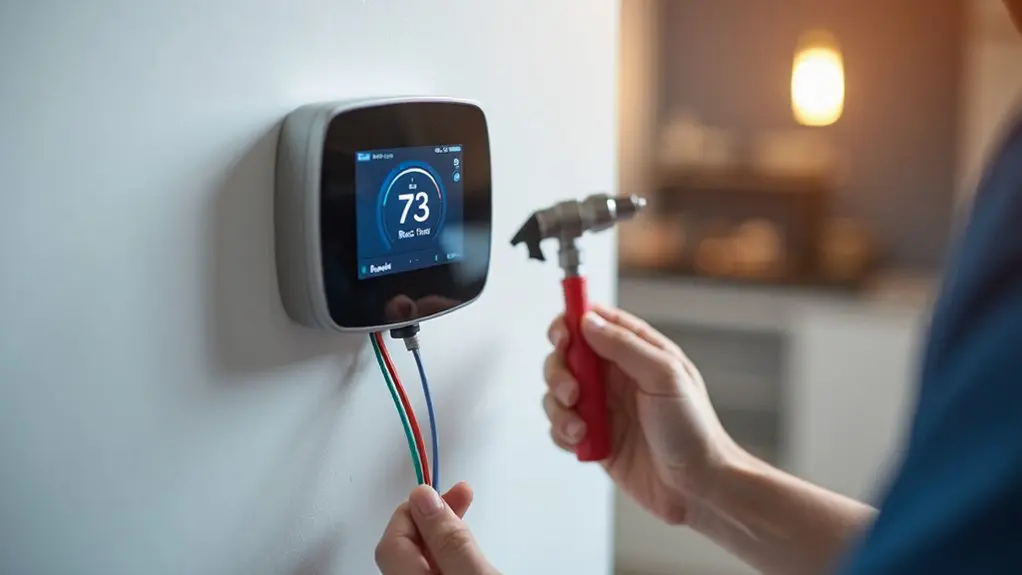
Installing a smart thermostat with your new AC system requires checking compatibility, verifying C-wire availability, and gathering essential tools like screwdrivers and wire labels. You’ll need to shut off power at the breaker, document existing wiring with photos, and carefully connect the new device to your backplate. After securing the installation, you’ll configure WiFi settings through the manufacturer’s app to enable remote access, scheduling, and geofencing features that can reduce energy bills by 10-15% annually while maximizing comfort and efficiency throughout your home.
Key Takeaways
- Verify HVAC system compatibility by checking manufacturer’s guide and confirming C-wire availability before installation.
- Turn off power at breaker panel and document existing wire connections with photos for safety.
- Gather essential tools including screwdrivers, wire labels, and drill for proper thermostat mounting and connection.
- Connect to WiFi network, download brand-specific app, and configure scheduling and geofencing features for optimization.
- Consider professional installation to ensure proper wiring connections and maximize energy savings potential of 10-15%.
Understanding Smart Thermostats and Their Benefits
Why settle for a basic thermostat when smart technology can transform how you control your home’s climate? Smart thermostats represent a significant upgrade over traditional models, offering advanced features that maximize your HVAC system‘s performance while reducing energy costs.
These intelligent devices learn your daily routines and automatically adjust temperatures based on your habits. You’ll benefit from remote access through smartphone apps, allowing climate control from anywhere. Geofencing technology detects when you’re away, automatically adjusting settings to optimize efficiency.
Popular Smart Thermostats brands like Nest, Ecobee, Honeywell Home, and Emerson Sensi can reduce your annual energy bills by 10-15%. When paired with your new AC system, these thermostats provide enhanced comfort and substantial savings.
The smart thermostat installation process requires proper planning, including compatibility checks and safety precautions. While many homeowners can handle basic installation, complex HVAC systems may need professional assistance to guarantee optimal performance and warranty protection.
Pre-Installation Compatibility Check for Your AC System
Before you begin your smart thermostat installation, conducting a thorough compatibility check prevents costly mistakes and ascertains seamless integration with your new AC system.
Start by reviewing the manufacturer’s compatibility guide to verify your HVAC system’s compatibility with your chosen smart thermostat model. Check that your system meets the voltage requirements, as mismatched specifications can damage both devices.
Next, confirm whether you have a C-wire (common wire) available, which provides continuous power to smart thermostats. If your system includes zone control, note that this feature may impact the thermostat’s functionality and require specific compatibility considerations.
Examine your existing thermostat wiring carefully, documenting wire colors and their current connections. This information streamlines the installation process and helps identify potential issues beforehand.
If you’re uncertain about any compatibility aspects or feel uncomfortable with the electrical work involved, consult a professional electrician to verify proper installation and prevent HVAC system damage.
Essential Tools and Materials for Installation
How can you guarantee a smooth smart thermostat installation? You’ll need the right tools and materials before you begin working with your heating and cooling equipment.
Gather these essential items: screwdrivers (both flathead and Phillips), wire labels, a drill with bits, a pencil, a level, wire strippers, your smartphone, and Wi-Fi network details. Don’t forget your compatibility checker to verify your HVAC system works with your new smart thermostat.
Before you install the device, carefully remove your existing thermostat. Take photos of the wire connections and label each wire to avoid confusion. This step prevents potential damage to your heating and cooling equipment.
Once you’ve disconnected the wires and removed the old unit from the wall, clean the surface thoroughly. This creates a suitable mounting area for your new smart thermostat. Having proper tools ensures you’ll safely integrate the device with your HVAC system while protecting both the equipment and yourself from electrical hazards.
Safety Precautions and Power Shutdown Procedures
Your safety depends on proper power shutdown procedures when installing a smart thermostat with your new AC system. Before touching any wires, turn off your HVAC systems at the breaker panel to prevent electrical shocks and equipment damage. Verify the power’s completely off by checking your current thermostat display—it should be blank.
Carefully review the manufacturer’s safety instructions before proceeding with installation. These guidelines contain critical information specific to your smart thermostat model and HVAC systems compatibility.
Don’t remove your old thermostat until you’ve documented the wire connections with photos. Keep the old thermostat as backup in case complications arise during installation.
If you’re uncertain about the power shutdown process or reconnection procedures, contact a licensed electrician immediately. Working with live electrical connections poses serious risks. Professional assistance guarantees safe installation and prevents costly damage to your new AC system or smart thermostat components.
Removing Your Old Thermostat Properly
With power safely disconnected, you can now begin removing your old thermostat without risk of electrical shock. This Installation Guide guarantees you’ll properly prepare for your smart home devices upgrade.
Start by carefully popping off the faceplate of your existing thermostat. Before disconnecting anything, take a photo of the current wiring configuration – this reference will prove invaluable when you install a smart thermostat. Make sure to label the wires using stickers or small tags, identifying each wire’s terminal connection. This step prevents confusion during installation.
Next, unscrew and remove the backplate from the wall. Gently disconnect each wire from the terminals, keeping your labels intact. Pay special attention to identifying the common wire, as many smart home devices require this connection for proper climate control functionality. Your companion smartphone app will likely reference these wire designations during setup, making accurate labeling essential for seamless installation.
Wiring and C-Wire Installation Requirements
Power requirements represent the most critical difference between traditional and smart thermostats. Your smart thermostat needs continuous 24-volt power through a C-wire connection, unlike battery-powered units. When you install your smart thermostat, you’ll first mount the new thermostat’s backplate using wall anchors if needed.
Check how the existing lines connect to your old unit. Look for labels on the wires – they’ll help you determine proper connections for your heat pump or standard HVAC system. If there’s no C-wire present, you’ll need professional installation to add one safely, especially in older homes.
Some manufacturers make an adapter to work around missing C-wires, but these solutions aren’t always reliable. Before you connect the thermostat wires to the new backplate, verify your system’s compatibility requirements. Professional electricians should handle C-wire installation if you’re uncomfortable with electrical work, ensuring safe and proper power delivery.
Installing Your New Smart Thermostat Step-by-Step
Once you’ve confirmed your C-wire setup and gathered the necessary tools, begin the installation process by shutting off power to your HVAC system at the circuit breaker. This extensive guide ensures safe installing of a smart thermostat that’ll improve your temperature control capabilities.
Before removing your old programmable thermostat, label each wire and photograph existing connections. This documentation prevents confusion when connecting your new device.
Follow these key steps:
- Mount the new thermostat’s backplate securely to the wall and connect each labeled wire to its corresponding terminal
- Attach the faceplate carefully, guaranteeing all connections remain secure and follow manufacturer instructions throughout
- Connect your device to Wi-Fi and download the companion app for remote access features
Whether you’re installing an Emerson Sensi or another brand, proper wire management is indispensable. Each wire provides specific functionality to your HVAC system. Once connected, your smart thermostat joins other connected devices in your home automation network, offering advanced scheduling and energy-saving features.
WiFi Setup and Mobile App Configuration
Why struggle with manual temperature adjustments when your smart thermostat can learn your preferences and adapt automatically? After installing your new thermostat’s backplate and connecting the labeled wires, it’s time to establish wireless connectivity.
First, you’ll need to remove the thermostat from its base plate to access setup mode. Take a picture of your wiring connections before proceeding for reference. Navigate to your thermostat’s WiFi settings and select your home network. Depending on the model, you might need to thread configuration wires through the center opening.
Download the Right Thermostat app for your specific brand and create an account. Follow the pairing instructions to connect your device. Configure scheduling, geofencing, and air quality monitoring features within the app. Set up voice assistant integration with Alexa or Google Assistant for hands-free control. Enable notifications for temperature alerts, HVAC maintenance reminders, and energy usage reports to maximize your system’s efficiency.
Optimizing Settings and Maximizing Energy Savings
How can you transform your newly connected smart thermostat into a powerful energy-saving tool? After you install the New thermostat and connect to which terminals on your new thermostat’s backplate, it’s time to maximize your energy savings through proper optimization.
Your smart thermostat can deliver 10-15% annual energy bill savings by learning your habits and automatically adjusting temperatures. Here’s how to optimize performance:
- Enable geofencing features – Your thermostat will automatically adjust when you leave or arrive home, ensuring your entire HVAC system operates efficiently
- Create customized schedules – Program heating and cooling patterns that match your daily routine for maximum efficiency
- Update software regularly – New energy-saving algorithms continuously improve how thermostats use advanced features
While a professional handle the initial installation and use a screwdriver to secure the backplate, you control the settings that determine your energy savings. Install a thermostat with these optimizations, and you’ll see immediate improvements in both comfort and efficiency.
Conclusion
You’ve transformed your home’s heartbeat—the thermostat now serves as the conductor orchestrating your comfort symphony. Like a lighthouse guiding ships through energy-wasting storms, your smart device illuminates the path to savings while maintaining perfect climate harmony. You’ve planted seeds of efficiency that’ll bloom into lower bills and reduced environmental impact. Your home’s now a well-tuned instrument, responding to your lifestyle’s rhythm while you’re away, ensuring you’ll always return to sanctuary.