
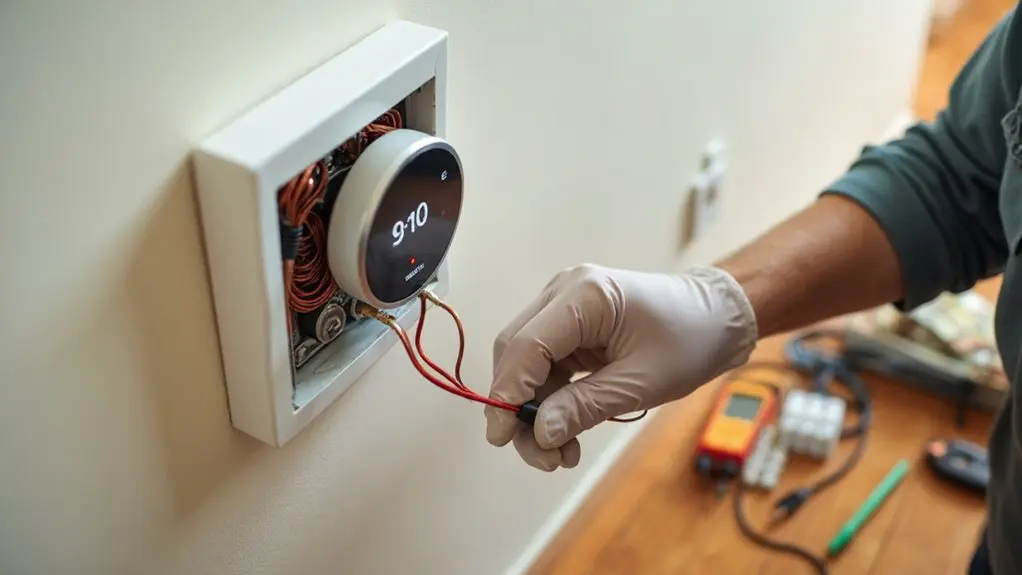
Installing a smart thermostat requires gathering essential tools like screwdrivers, wire labels, and checking HVAC compatibility before shutting off power at your breaker panel. You’ll photograph existing wiring, carefully label and disconnect wires, then install the new base and reconnect according to manufacturer instructions. After powering up, you’ll configure Wi-Fi settings, set schedules, and download the companion app for remote control. This upgrade delivers 10-15% energy savings while learning your preferences—and there’s much more to optimize your system’s performance.
Key Takeaways
- Verify HVAC system compatibility and gather essential tools like screwdrivers, wire labels, drill, and smartphone before starting installation.
- Turn off power at the main breaker panel and photograph existing wiring connections before removing the old thermostat.
- Label each wire clearly with stickers and carefully disconnect them without pulling wires from their contacts completely.
- Install the new thermostat backplate securely and reconnect labeled wires according to manufacturer’s wiring diagram and specifications.
- Connect device to Wi-Fi network, download the manufacturer’s app, and configure initial temperature preferences and scheduling settings.
Understanding Smart Thermostats and Their Benefits
Before diving into installation, you’ll want to understand what makes smart thermostats worth the upgrade. Unlike traditional models, smart thermostats offer advanced features that transform how you control your home’s climate. You’ll gain remote access through smartphone apps, allowing temperature adjustments from anywhere. Learning algorithms study your preferences and automatically create efficient schedules, while geofencing detects when you’re away and adjusts accordingly.
These intelligent features translate to real savings—you can reduce energy bills by 10-15% annually. Popular brands like Nest, Ecobec, Honeywell Home, and Emerson Sensi each offer unique capabilities that surpass basic programmable models.
Your new smart thermostat becomes a central hub for climate optimization, using data and automation to maintain comfort while minimizing waste. Comprehending these benefits guarantees you’ll maximize your investment during installation and beyond, making the upgrade process worthwhile for both your wallet and daily convenience.
Pre-Installation Checklist: Tools and Compatibility Requirements
Now that you understand the advantages smart thermostats offer, proper preparation becomes your next priority. Before starting your smart thermostat installation process, gather essential tools: screwdrivers, wire labels, drill, pencil, level, wire stripper, smartphone, and Wi-Fi credentials.
Next, verify your HVAC system’s compatibility with your new smart thermostat. Check system type, voltage requirements, and whether you need a C-wire for power. Most smart home devices require this common wire for consistent operation. This Installation Guide emphasizes conducting thorough compatibility checks to guarantee electrical damage and equipment failure are prevented.
When removing your old thermostat, photograph wire connections before labeling and detaching them. This documentation proves invaluable during installation. Clean the wall surface afterward to ensure proper mounting.
Zone-controlled systems may require additional considerations, so consult your thermostat’s specifications. Proper preparation prevents complications and ascertains your smart thermostat integrates seamlessly with your existing HVAC system.
Safety Preparations and Power Shutdown Procedures
Safety remains paramount throughout any electrical installation project. Before touching your thermostat, you’ll need to shut down power to your HVAC system at the main breaker panel. This critical step prevents electrical shocks during installation. After flipping the breaker, verify your system is completely powered down by checking that your current thermostat display goes blank.
Take essential safety precautions by wearing protective gear like safety glasses and insulated gloves. Keep your old thermostat nearby as a backup if complications arise during installation.
Review the manufacturer instructions thoroughly before beginning work. These guides contain system-specific requirements and safety warnings that generic tutorials can’t cover. If you encounter unfamiliar wiring configurations or feel uncertain about any electrical connections, don’t hesitate to consult a qualified electrician. Professional guidance guarantees your installation meets local codes and prevents costly mistakes that could damage your HVAC system or create safety hazards.
Removing Your Old Thermostat and Documenting Wiring
Once you’ve confirmed the power is off, removing your old thermostat becomes a straightforward process that requires careful documentation. Start by carefully popping off the faceplate and taking a photo of the wiring for reference. This visual documentation will prove invaluable during installation.
Before you disconnect anything, use stickers or labels to identify each wire. This step prevents confusion and guarantees proper connections later. Here’s your removal process:
- Document the wiring layout – Take multiple photos from different angles
- Label individual wires – Use clear, readable stickers that won’t fall off
- Disconnect wires carefully – Remove them from terminals without pulling them from contacts
Next, unscrew and remove the backplate from the wall. When you disconnect the wires from the backplate terminals, make certain you don’t accidentally remove the wires from their contacts entirely. Proper documentation and labeling now will save you significant troubleshooting time during your smart thermostat installation.
Installing the New Smart Thermostat Base and Connections
With your old thermostat removed and wires properly labeled, you’re ready to mount the new thermostat’s backplate. Position the backplate against the wall and mark screw locations. You may need to drill holes if the mounting points don’t align with existing holes from your previous thermostat.
Secure the backplate using the provided anchors and screws, guaranteeing it’s level and firmly attached. Now carefully feed your labeled wires through the appropriate openings in the backplate.
Reference the photos you took during removal and your thermostat’s manual to verify proper connections. Connect each wire to its corresponding terminal on the backplate – make sure each connection is tight and secure. Most smart thermostats use color-coded terminals that match standard wire colors, but always verify with your documentation.
Label the wires if they become unclear, then tuck excess wire behind the backplate for a clean appearance. Double-check that all lines connect properly before proceeding to attach the thermostat face.
Configuring Wi-Fi Setup and Initial Programming
After mounting the thermostat face to the new thermostat’s backplate, you’ll need to power on the device and begin the Wi-Fi configuration process. This pivotal step enables remote access and automatic updates for your smart thermostat system.
When you install a smart thermostat like Honeywell Home models, the initial setup requires connecting to your home network. Enter your Wi-Fi password when prompted on the display or through the companion smartphone app. You’ll also need to configure location and time zone settings for accurate readings.
Follow these essential configuration steps:
- Connect the device to your Wi-Fi network using the provided password
- Set your location and time zone for proper scheduling
- Input initial temperature preferences and daily schedules
Download the manufacturer’s app to control your thermostat remotely and access advanced features. The system will learn from your programming patterns over time, optimizing comfort and energy efficiency without requiring you to make an adapter or reconnect to which terminals.
Troubleshooting Common Installation Challenges
Even when you follow installation steps carefully, you’ll likely encounter challenges that can disrupt your smart thermostat setup. The most frequent issue involves a missing common wire (C-wire), which powers your thermostat continuously. You can resolve this by installing a C-wire adapter or adding a new wire, though the latter may need professional help.
Compatibility problems between your thermostat and heating and cooling system require careful verification of equipment requirements. Double-check that your climate control system matches the thermostat’s specifications in this guide.
Incorrect wire connections cause malfunctions, so verify each labeled wire connects to its proper terminal. Air conditioning and heating wires must align correctly for ideal performance.
Wi-Fi connectivity issues can be troubleshooted by confirming network details and ensuring strong signal strength near your thermostat location.
Finally, wall surface irregularities after removing your old unit can be addressed using trim kits or patching and painting the affected area.
Maximizing Energy Savings and Smart Features
Once your smart thermostat is properly installed, you’ll want to activate its advanced features to maximize your energy savings potential. After securing the new thermostat’s backplate and mounting plate, focus on configuring the learning algorithms that’ll reduce your bills by 10-15% annually.
Start by connecting your thermostat to Wi-Fi and downloading the companion app. This connection enables remote access and allows the device to learn your preferences. For heat pumps and complex systems, making sure compatibility settings are correct will help you determine ideal performance.
Configure these three essential energy-saving features:
- Geofencing – Automatically adjusts temperature based on your location
- Learning schedules – Adapts to your daily routines without manual programming
- Smart home integration – Coordinates with other connected devices for maximum efficiency
Enable all automatic features and allow 1-2 weeks for the system to learn your patterns. The algorithms will optimize heating and cooling cycles, delivering substantial energy savings while maintaining comfort.
Conclusion
You’ve now mastered smart thermostat installation—coincidentally, the same systematic approach that transforms any complex home project into manageable steps. Just as you documented each wire connection, you’ll find this methodical mindset applies to future upgrades. Your new thermostat isn’t just controlling temperature; it’s teaching you confidence in DIY projects. Coincidentally, the energy savings you’ll see mirror the satisfaction you’ve gained from completing this installation yourself.