
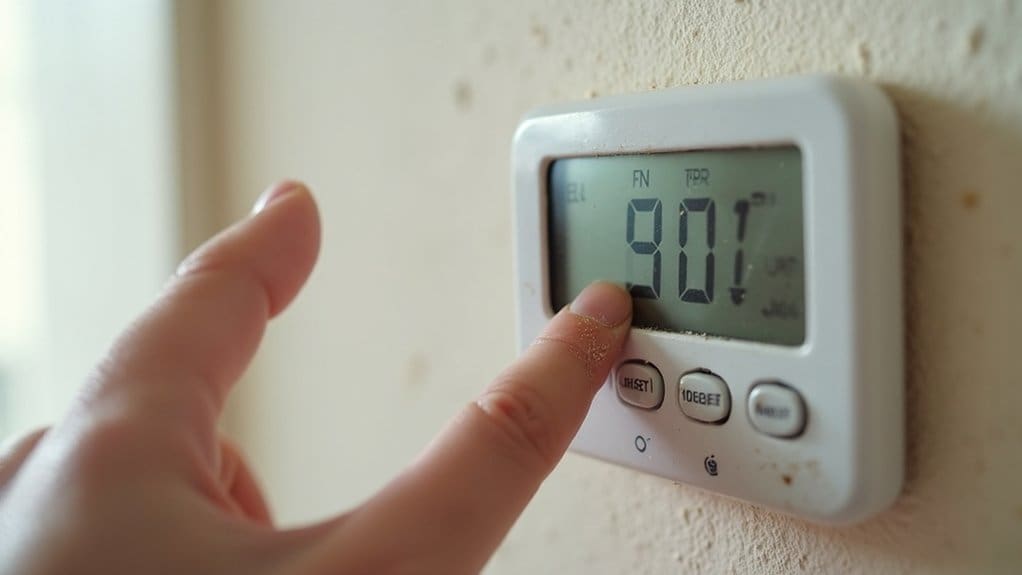
Your thermostat loses programming due to dead batteries, power outages, loose wiring connections, or software glitches. Fix battery issues by replacing them regularly and taking photos of settings beforehand. Address power problems with surge protectors and battery backup systems. Check for loose or corroded wire connections at terminals. Update firmware and guarantee stable WiFi for smart models. Avoid locations with direct sunlight or air drafts that affect performance and cause unexpected resets.
Key Takeaways
- Dead or weak batteries are the most common cause of programming loss, so replace them regularly and use lithium when supported.
- Power outages without battery backup can erase settings, making surge protectors and backup generators valuable investments for frequent issues.
- Loose or corroded wire connections cause programming failures, requiring inspection and tightening of terminal screws or professional wiring repair.
- Environmental factors like direct sunlight, air vents, and extreme temperatures can disrupt thermostat function and cause setting loss.
- Smart thermostats need stable WiFi connections and regular firmware updates to maintain programming and prevent cloud-based setting corruption.
Common Causes of Thermostat Programming Loss
When your thermostat repeatedly loses its programming, several culprits are likely at work behind the scenes. Dead or weak batteries top the list of common reasons for thermostat problems. When batteries can’t maintain power, your device reverts to factory settings automatically.
Power outages also cause programming loss. If your thermostat doesn’t have battery backup, it’ll lose power during electrical interruptions and reset itself. Poor electrical connections create similar issues, causing intermittent power loss that triggers resets.
Age-related component failure affects older thermostats. Internal memory chips deteriorate over time, making it impossible to retain programming data. If your thermostat keeps resetting despite fresh batteries and stable power, worn components are likely responsible.
Extreme temperature fluctuations can also corrupt programming. Units exposed to direct sunlight or drafts may experience internal malfunctions. Additionally, power surges from storms or electrical issues can damage memory circuits, forcing your thermostat back to default settings repeatedly.
Power Supply Problems and Solutions
Since power supply issues cause most thermostat programming failures, addressing these problems directly will resolve your recurring headaches. Your thermostat relies on consistent power to maintain its settings, and even brief interruptions can wipe out your carefully configured schedule.
Installing a surge protector on your HVAC system shields your thermostat from damaging power surges and voltage spikes that frequently cause programming loss. Don’t wait for batteries to die completely – replace them regularly to prevent power supply interruptions that erase your settings.
Consider upgrading to newer thermostat models with enhanced backup features like cloud-based settings storage. These advanced units recover programming automatically after power disruptions, unlike older models that lose everything during outages.
For homes experiencing frequent power outages, investing in a backup generator guarantees your thermostat maintains continuous power and preserves programming. This inclusive approach eliminates the frustration of constantly reprogramming your system after every electrical disturbance.
Battery Issues and Replacement Tips
Battery problems represent the most common culprit behind lost thermostat programming, affecting even thermostats with hardwired power connections. When batteries die, your programmed settings vanish instantly, forcing you to start over with scheduling and temperature preferences.
Proper battery maintenance safeguards these frustrating thermostat issues. You’ll want to replace batteries every 6-12 months, even if they’re still working. Don’t skimp on quality—cheap batteries cause more resets and failures than premium options.
Essential battery replacement practices include:
- Set calendar reminders to change batteries before they die completely
- Take photos of current settings before battery replacement for easy reprogramming
- Choose lithium batteries when your model supports them for extended life
- Replace during routine maintenance alongside air filters and other HVAC tasks
- Test immediately after installation to guarantee proper connection
Consider battery issues and replacement tips part of your regular HVAC routine maintenance, just like changing air filters quarterly.
Wiring Problems That Reset Your Thermostat
Loose connections and damaged wires create intermittent power issues that’ll wipe your thermostat’s memory without warning. When your thermostat and HVAC system can’t maintain steady communication, programming gets lost repeatedly.
Check your thermostat’s wire connections first. Remove the faceplate and examine where wires connect to terminals. Look for loose screws, corroded connections, or frayed wire ends. Tighten any loose terminal screws and clean corroded connections with fine sandpaper.
Inspect the wire bundle running from your thermostat to your HVAC system. Damaged insulation or pinched wires cause power fluctuations that reset settings. If you spot obvious damage, mark the location but don’t attempt repairs yourself.
Complex wiring issues Need Professional diagnosis and repair. Your HVAC system’s safety depends on proper electrical connections. After trying these fixes without success, contact a certified technician. Proper wiring repairs will keep your thermostat working reliably and protect your expensive HVAC equipment from electrical damage.
Software Glitches and Firmware Updates
Even when your thermostat’s wiring checks out perfectly, software glitches can still wreck your programming schedule. Bugs in the thermostat’s firmware often cause repeated reset problems that’ll drive you crazy with constant reprogramming sessions.
Check the manufacturer’s website for known software problems and available updates. Download and install any firmware updates for your specific thermostat model. Carry out a complete factory reset, then carefully reprogram all your settings. Maintain your WiFi connection stable if you’re using a smart thermostat. Consider upgrading to a thermostat with cloud-based backup features.
Smart thermostats especially depend on reliable internet connectivity. When your WiFi drops out frequently, it triggers software malfunctions that reset your programming. Modern thermostats with cloud storage automatically restore your settings after glitches, saving you from endless reprogramming headaches.
Poor Thermostat Location and Environmental Factors
Where you install your thermostat directly impacts its ability to maintain programming and provide accurate temperature control. Poor placement leads to inaccurate temperature readings that confuse your HVAC system and cause programming resets.
Never install your thermostat in direct sunlight, near air vents, or in drafty areas. These locations create false temperature readings that interfere with your heating system’s operation. Make sure you choose an interior wall away from windows and doors for ideal performance.
Environmental factors also disrupt thermostat programming. Extreme temperature fluctuations, high humidity, and excessive dust interfere with sensors and trigger resets. Vibrations from nearby appliances or heavy foot traffic can loosen connections, contributing to lost settings.
Ensure proper air circulation around your thermostat’s sensors. Poor airflow prevents accurate temperature detection and creates programming issues. Make sure the thermostat has adequate space and isn’t blocked by furniture or decorations. Ensure the thermostat location promotes stable operation and reliable programming retention.
When to Call a Professional HVAC Technician
Some thermostat programming issues require professional expertise to diagnose and repair safely. While many problems can be resolved through basic troubleshooting, certain situations warrant calling an HVAC technician to guarantee your system operates efficiently.
Contact a professional when you encounter:
- Thermostat display showing persistent error codes or complete malfunction
- HVAC system failing to respond to thermostat commands despite programming
- Suspected wiring problems or power supply issues affecting operation
- Compatibility concerns between your thermostat and heating/cooling equipment
- Programming continues resetting after attempting standard troubleshooting methods
Professional diagnosis can save you money in the long run by preventing damage to your HVAC system and reducing energy use. A qualified technician will identify root causes quickly, ensuring your thermostat maintains proper programming and controls energy bills effectively. Don’t risk further complications or higher utility bills by attempting complex electrical repairs yourself.
Frequently Asked Questions
Why Does My Programmable Thermostat Keep Resetting Itself?
Your thermostat’s resetting due to battery issues, loose wiring, or power outage problems. You’ll need checking connections, replacing batteries, or upgrading an outdated thermostat. Inadequate insulation can also cause temperature fluctuations that trigger resets.
Why Won’t My Thermostat Stay Where I Set It?
Ever wonder why technology fails you? Your thermostat won’t stay set due to faulty wiring connections, insufficient battery charge, temperature sensor malfunction, HVAC system compatibility issues, or poor thermostat placement affecting its performance and reliability.
How to Reset Thermostat Programming?
You’ll need to follow your thermostat’s specific programming sequence. First, try battery replacement if it’s battery-powered. Check for circuit board issues, power surge effects, or faulty sensors that might prevent successful reprogramming.
How to Fix Faulty Thermostat Settings?
You can fix faulty thermostat settings through battery replacement, eliminating thermostat interference sources, adjusting temperature sensitivity levels, making proper schedule modifications, and performing sensor calibration. These steps’ll restore accurate temperature control and reliable operation.
Conclusion
You’ve now got the tools to diagnose and fix most thermostat programming issues. Start with the simplest solutions—checking batteries and power connections—before moving to complex wiring problems. Consider Sarah’s situation: her thermostat reset daily until she discovered loose wire connections behind the unit. After tightening them, her programming stayed intact for months. However, don’t hesitate to call an HVAC professional if you’re uncomfortable with electrical work or can’t identify the root cause.